Showing posts with label Classes. Show all posts

Wednesday, April 25, 2012

Review of the 2012 Conference

EDITED OCTOBER 12, 2012
 Tomorrows the day.  Hope you can make it!
Registration at 8:00
Conference 8:30-3:30
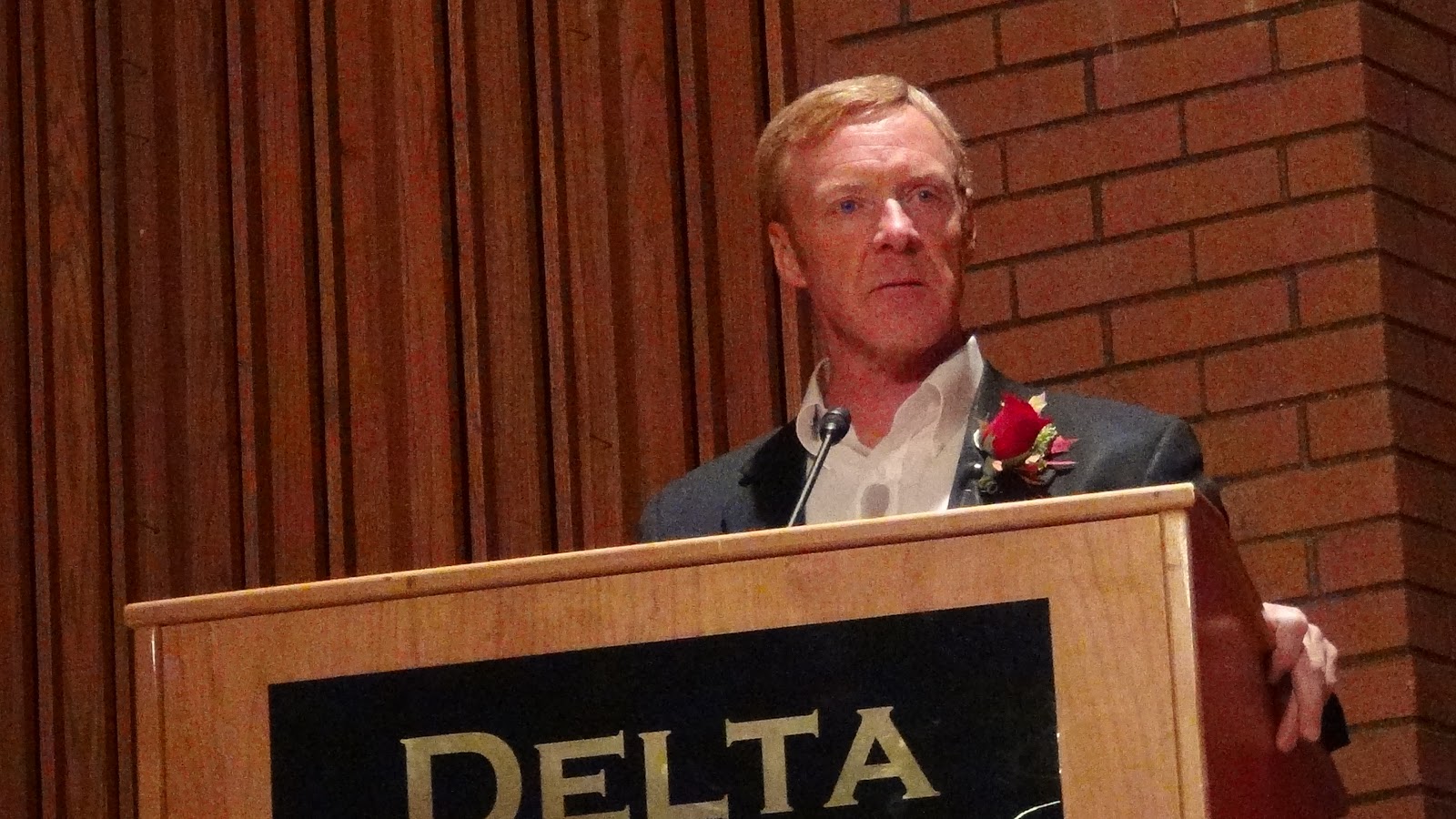
Following our keynote address by Glenn Rawson,(see the post below for more information about him) there will be five different classrooms where instruction will be held, as well as some displays helping you understand other aspects of genealogy not addressed in a formal class.  The classrooms and the classes held there are divided as follows:

Classroom #1:  Basic Genealogy Series
  A. Are There Special Rules in Genealogy?   by Dave/Manja Midgley.  Actually, yes, and this class will help you follow them. Putting commas in the location field or do I need to put in "USA" are just two of the questions you may be asking. This will answer many more for you, and help you understand the "why's" behind the rules.
  B. If You Want This .... Look Here  by Dave/Manja Midgley. Want to know someones birth date? You probably won't find it in a father's will, but there are a lot of places it may be found. This class will share where information is most likely to be found including places you may never have thought to look including high school or college student records. A very useful class.
  C.  You Know Their Names - Do You Know Their Story? by Dave/Manja Midgley.   Using the genealogy software, you can add all different kinds of events into a family members individual data, creating a timeline that can help you get to know and understand your ancestor more completely.  This class will help you get to know so much more about your ancestor if you implement what is taught and gather all information and include it.
  D.  Genealogy Software Programs - Which One Do I Choose? by Dave/Manja Midgley.  Well, that is totally a preference call, but in this class you will learn the real gems of each different affiliate program and you will be able to make an informed decision.

Classroom #2:  Computer Sills - hands of series  (held in the computer lab)  first 27 to sign up will be allowed to work on a computer.  Email us at deltafhc@gmail.com.
  A. Where Do I Start - by Karen Chatland. A beginners class to help you know exactly how to get started for the beginning genealogist as well as the different events you can add to your data or information. Giving you suggestions on how to become successful right of the bat. 
  B.  Basic Computer - by Carol Meinhardt.  We have had so many people comment that the computer scares them.  We have added a class that will just focus on the computer and how to use it for your best benefit.  Very little will be taught about how to do genealogy in this class, but will focus on how to use this great tool called a computer.
  C.  Blogging Basics - by Allyson H. Wood.  What better way than to go through your files, confirm your information is correct, and then getting it out there to share.  Class one will focus on the basics of getting a blog online and show you just how easy it is to do.  We will discuss how to make your blog easy to navigate, as well as ways to coordinate working with others to publish information there.  A good working use of the computer and scanner will be helpful in understanding the class but not mandatary to get you excited and "blogging" your own family site.
  D.  Advanced Blogging - by Allyson H. Wood.  Don't miss part one, because this is a continuation, not a repeat.  We will discuss how to link to your other blogs, move posts to a different location, and my favorite way of accessing all my family links on a blog meant for quick retrieval.  We will discus a couple of easy html codes not found in blogging software that you can add to make your blog more appealing.  We will share more information to help personalize your blogs, and how to add your document links to the sources in new.FamilySearch. Prepare to learn how to have hours and hours of fun, for a very worth while purpose.
.......... Clean up FS Form.
.......... "Prove It" Blog - must be imported into blog after it has been set up.

Classroom #3:  Verify/Digitize Series (computer lab)  first 27 to sign up will be allowed to work on a computer.   Email us at deltafhc@gmail.com.  We have been called the "Verify and Digitize Generation".  As we work together, and share our documents and information more quickly and easily, others will not have to trace the same steps you have walked.  They can, instead, move forward into less travelled or undiscovered territory. 
  A.  Photo and Document Scanning and Editing -by Mike Bringhurst.  Using free software, lear n how easy it is to scan your files, label them and share them digitally.  How great would it be if everyone could share their old photos and precious documents with everyone in the family and basically for free.
  B.  new.FamilySearch [part 1] - by Tom and Cindy Urban.  The Church sponsored program is ever changing and has so much to offer.  Get to know your way around it, its purpose and how to help get "the book of life" correct and up to date.
  C.  new.FamilySearch [part 2] - by Tom and Cindy Urban.  You may have had no idea how much genealogy help there is at this site, and you may be surprised by how much new is coming all the time.  This class is not a repeat of the previous hour.  It continues on to help you discover this amazing tool.
  D.  Indexing - by Loreta Whicker.  What a blessing you indexers are in the lives of the genealogist and those deceased!  It is you that makes it easier to find our family names and have success as we research.  Come learn how to index so that you, too, can experience the great Spirit of Elijah.

Classroom #4:  Record Groups and How To Use Them Efficiently - a bit more advanced classes
  A.  Scandinavian Research  by John and Linda Larsen.  There are a few things you will need to know as you look for your ancestors from Denmark, Sweden and other Scandinavian areas. This class will give you hints and sites that will help you along the way. A must attend for anyone searching these areas.  Once you learn the basics of researching from this class, you should be ready to get right in and start looking for records of your own.
  B. Filing Basics/Starting Right - by Dean Wood. A class that will bless the novices life, but also those who have found themselves needing some suggestions on how to make their storage work better for them.
 C.  It's Here:  The 1940 Census -  by Gordon and Carolyn Casper.  All census are a bit different and this one is a goldmine of information.  However, knowing a bit about how to maneuver through it will help you find your family and the information you seek. 
  D.  But I've Already Checked the Church Records!  by Gordon and Carolyn Casper.  Now where do I go?  Church records are often the most viewed records for information about life events but there are many other places you can look.  This class will focus on other resources available in the United States and England.

Classroom #5:  What's Next?  for the genealogist who is pretty comfortable and ready to branch out.

  A. The Hidden Resources of FamilySearch.org by Claire V Brisson-Banks.  FamilySearch.org has much to offer everyone who visits, online databases, online classes, online help, discussion areas, a research wiki, blogs, tech tips, a catalog, guides to help one research and so much more. This live online session will step through FamilySearch and take a look at the often not noticed resources available to help locate one's ancestors.
  B. Genealogy & Family History – The Perfect Social Media by Claire V Brisson-Banks.  Web 2.0 provides the perfect way to record and share family history. Internet and mobile-based tools are everywhere. New technology strategies allow for harnessing a network of genealogy communities and locating long lost relatives. Online collaboration, instant communications, e-family histories, documents online and virtual environments bring genealogical research into the 21st century.
  C.  Urban Research:  My Guy Is Like a Needle In a Haystack! by Julie Hammond.   But, if you know the secrets to researching large cities you may find your ancestors listed every year with vocation and address.  Urban research made easier - come and learn how.
  D.  British Isle Research: by Julie Hammond.  Time to go across the pond and get your feet wet in England and surrounding area?  This is where you will want to start.  This class will alleviate much of the fear you may experience as you begin looking through British records in your search to find more.

Not taught but handouts included:  Deciphering Handwriting - by Vivian Rowlette.   If you have seen the transition of writing through the years, you will know that it is a bit difficult to read old script.  There are some great helps, that will be shared in this class, to help you be able to more easily read it.  Learning some of the basics taught here will be a blessed tool to possess.


The notes from these classes will be compiled in a syllabus and available for presale at about $5 each.  This will help you in class as you know which notes you need to take, and allow you to read through the information presented in other classes.  There will only be a few extra ordered so be sure and pre-order yours.  The information will also be available online on this blog after the conference.

Monday, June 14, 2010

How to Make a Great Power point

by Mike Bringhurst
July 1, 2010

Power point is a tool to present information in a slide show format. You can use text, charts, graphs, pictures, sound effect, etc.

When making the slides ... show them with bullets. Less is more on a slide show. Too much information on a single slide becomes unreadable, especially when it is projected on a big screen for a large audience.

1. Present your content in the form in the form of four or five bulleted points per slide.
2. Let your bullets be visible. Try to use font size 18-24.
3. Don's let each bulleted point be too lengthy. Limit it to six words in one line use short sentences.
4. Try to restrict it to six lines in a slide.
5. Contrast the text with the background.
6. To highlight certain import information, present that text in a larger font size ....

  • Don't make it too animated.
  • When presenting your power pointer is not a teleprompter.
  • Don't commit the cardinal sin of reading out your slides word for word.
  • Power point slides are to be used as a visual communication aid. If the audience needs to make notes of important points, provide handouts after the presentation. This ensures the audience is listening instead of taking notes.
  • Go slow - don't rush through your slide show. Give about 30 seconds to two minutes for the images on your slide show to make an impact.
  • Practice, don't make the first presentation to your audience. You should do the entire presentation by yourself. See how it flows and how long it takes.

Sunday, June 13, 2010

The Secret Code

Genealogists have their own lingo and we tend to ramble on using this "secret code" without blinking an eye or realizing that the person they are talking to might not understand what they are saying. This is the code to some of the things genealogists are using.

AF = Ancestral File
AFN = Ancestral File Number
BEPS = Baptism, Endowment, Sealed to Parents, Sealed to Spouse
BIC = Born in the Covenant
BMD = Birth, Marriage, Death
FAQ = Frequently Asked Questions
FHC = Family History Center
FS = Family Search
FSBeta = Family Search Beta
GEDCOM - Format for easily sharing data
GSU - Genealogical Society of Utah - partnered with FHC on many projects
IGI = International Genealogical Index
MRIN - Computer generated number for marriage
NEW.FS = New Family Search
Ordinance Index = List of temple work already provided up to July 2009.
PAF = Personal Ancestral File
Pedigree Resource File - a program instigated after the Ancestral file was closed.
PERSI = Periodical Source Index
RIN - Computer generated number for individuals
Temple Ready - is now replaced by new.familysearch. It means checking the IGI and new.familysearch for ordinances already done.
TIB = Temple Index Bureau
URL = Uniform Resource Locator = website address

B = birth
M = marriage
D = death
Bu = burial
Chr = Christening [not LDS blessing]


Class taught by Allyson H. Wood, Jan 2009

Sunday, September 15, 2002

Organizing Your Paper Files - Dean E. Wood


Overview of Affiliate Programs used with new Family Search


You Know Their Names - Do You Know Their Stories? - Elder David Midgley


Genealogy and Family History - The Perfect Social Media - Claire V Brisso-Banks

Genealogy & Family History ~ The Perfect Social Media Claire V Brisson-Banks, BS, MLIS, A.G. ®
This class will cover a variety of Web 2.0 Internet-based tools that assist with connecting and keeping in touch with family while locating new family information and staying up-to-date with genealogical technology and social media. Wikipedia defines
Social Media as follows:

"Social media are primarily Internet-based tools for sharing and discussing information among human beings. The term most often refers to activities that integrate technology, social interaction, and the construction of words, pictures, videos and audio. This interaction, and the manner in which information is presented, depends on the varied perspectives and "building" of shared meaning among communities, as people share their stories and experiences."Wikipedia contributors, "Social media," Wikipedia, The Free Encyclopedia, http://en.wikipedia.org/w/index.php?title=Social_media&oldid=270250781 (accessed February 12, 2009).

Material Presented:
iGoogle: Staying On Top of Social Media
iGoogle: Staying On Top of the Genealogical Tech World
RSS Feeds
ITunes
Blogs
Wikis
Family Websites
Photo Sharing
Video Contact
Skype Research Communities
Social Bookmarking
Grave Networking
Facebook
Facebook Research Communities
We’re Related by FamilyLink
Twitter
TweetDeck
Genes Reunited
WikiTree
DNA
PC, Online and Portable Genealogical Software Programs
Digital Genealogical Books and Readers
You Tube
FamilySearch and Ancestry Online Research Classes
ICAPGen Mentoring and Educational Resources
Dropbox – Google Docs – Your Files online
Genealogy Training in Second Life
Websites Referenced:
Personalized Home Pages
http://www.google.com

RSS
http://www.apple.com/itunes/download

Top Social Media Sites
http://social-networking-websites-review.toptenreviews.com

Blogs
http://ancestryinsider.blogspot.com
http://eatslikeahuman.blogspot.com
http://blog.dearmyrtle.com
http://blog.eogn.com
http://geneamusings.com
http://rzamor1.blogspot.com
http://practicalarchivist.blogspot.com
http://familypulse.blogspot.com/
http://timelessgen.blogspot.com/

Wikis
http://www.biographicalwiki.com/index.php/Main_Page
http://www.eogen.com
http://genealogy.wikia.com/wiki/Main_Page
https://wiki.familysearch.org/en/Main_Page
http:///www.werelate.org/wiki/Main_Page
http://pbworks.com
http://ladyclaire.pbworks.com
http://familylobby.com/

Social Media Sites
http://www.flickr.com
http://www.skype.com
http://www.delicious.com
http://www.findagrave.com
http://www.facebook.com
http://twitter.com
http://www.genesreunited.co.uk
http://wikitree.com
http://www.familytreedna.com/
http://pinterest.com
http://historypin.com
PC Genealogical Data Management
http://ancquest.com
http://www.familytreemaker.com
http://www.legacyfamilytree.com
http://www.familysearch.org
http://www.rootsmagic.com
http://www.macgenealogy.org/

Online Genealogical Data Management
http://trees.ancestry.com/default.aspx?req=tree
http://labs.familysearch.org
http://www.familytreeexplorer.com
http://www.myheritage.com/page/online-family-tree
http://www.phpgedview.net
http://lythgoes.net/genealogy/software.php

Portable Genealogical Data Management
http://www.astersoftware.biz
http://northernhillssoftware.com/index.htm
http://www.synium.de/products/mobilefamilytree/index.html
http://www.pocketgenealogist.com/EN/Download/downbydevice.htm

Mobile Genealogical Applications
https://market.android.com
http://www.apple.com

Digital Books
http://www.google.com
https://familysearch.org/#form=books

Digital Readers
http://www.sony.com
http://www.amazon.com
http://www.jetbook.net/
http://www.barnesandnoble.com

Training and Information
http://www.youtube.com
http://familysearch.org
http://learn.ancestry.com/home/hmlnd.aspx
http://www.icapgen.org/icapgen/resources

Files Online
http://docs.google.com/
http://openoffice.org
http://adrive.com
http://dropbox.com
http://zoho.com
http://mozy.com

Virtual Training
http://secondlife.com
http://www.virtualworldsreview.com/info/categories.shtml


© Copyright 2012 Timeless Genealogies. All rights reserved. Written permission to reproduce all or part of this syllabus material in any format, including photocopying, data retrieval, or the Internet, must be secured in advance from the copyright holder. Contact: claire@timelessgen.com

British Isles Research - Julie Bliss Hammons


Finding Your Ancestor in an Urban Haystack - Julie Bliss Hammons

You may find yourself researching in a large city for a number of reasons, besides the obvious fact
that your family lived in a large city. Your ancestors may  have lived in an area that is now part of a large city, or the records from the area where your family lived have been sent to a large city for archiving, or you may need to locate your family in the large city in Europe that they originated from.

The class will use mostly US Cities as examples, but the strategies, and record groups will also be found in European Cities.

A city is defined as an area large enough to need a map to find your way around in, and is generally divided into smaller divisions such as townships, boroughs, districts and/or wards.

. Understanding and locating the smaller area is critical to finding your ancestor.

The Good News
. Cities kept more records and began keeping them earlier than rural areas.
. 1800’s cities began keeping death records due to public health concerns,
including the cause of those deaths. Births records were next to be kept, and
finally cities kept records of deaths for planning cemeteries.
. If your family was in a big city, there are most likely records for them.
. There are unique sources for big cities that are very helpful.
. There was often a higher level of education in the cities, so people left more
biographical data, diaries, and other potential genealogical sources than
existed among rural families.
. The bigger cities had a large percentage of officials, professionals and
craftsmen. Craftsmen are found in the guild records.
. Membership in city nobility was inherited, so families kept good records about
their ancestry. This is also true for other families who had inheritable rights
(in saltworks, for instance).


The Bad News
. Lots of Records to sort through.
. Records are less likely to be filmed.
. Many records are not indexed.
. More likely to find multiple people with the same name.
. Records are not consistent from one city to another.
. We often don’t know if our immigrant came from an actual city named as his
place of origin. Many large cities were at the same time capitals of territories,
and their names could be the names of the state.


First Understand the City
1. Begin rural or immigration, if possible.
2. Understand why the city existed and what it was like before your ancestor came.
3. Find out why your ancestor chose to live where they did.
. Did they move after the Depression because they lost their farm?
. Did they come after the Dust bowl when 1/4 of mid-section of country moved,
mostly to the coasts?
. Did they come to learn a trade as an apprentice?
. Did they come because of plentiful work in the city.
. Did they immigrate and want to live near fellow countrymen?
4. Locate the ethnic or religious groups.
5. Get a timeline of the city your ancestor lived in.

Strategies
. Begin Rural if possible.
. Did the city grow up around your family or did they move there?
. Locate a timeline of the city and state you are researching
. Gather clues from family lore.
. Begin with less common surnames.
. If your ancestor is John Smith, look for his brother Amos Smith.
. Cluster genealogy can be a key factor in your success in Urban research.
. Make a checklist of records that are available.
. Go through the records thoroughly -
. Compiled sources will possibly need to be searched - be careful here and look
for supporting documentation.
. Identify the Jurisdictions- Different jurisdictions kept different sorts of records.
. Locate a map of the record keeping areas of the city.
. “A Handy Guide to Record-Searching in the Larger Cities of the United
States”, by E. Kay Kirkham - on microfiche at FamilySearch Catalog -
#6010059.


 Best Big City Sources
Vital Records - These were kept earlier in cities than in rural areas
 Film fiche also available for cities.
 Libraries, Courthouses, or a Genealogy Society

City Directories – These exist in many eastern cities from the early 1800’s.
Always use these in conjunction with other sources.
. Before Phone Books
. Not everyone was listed, and not available for every year.
. Large cities in the early 1800‘s, mid size cities in the mid 1800’s.
. Kirkham’s book [fiche # 6010059] is a guide to city maps with boundaries of
wards drawn in. Finding the ward will narrow your search down to a few
blocks. These listed:
o Name, occupation, others in household, street address.
o Puts family together at one address
o Indirect death source - widow is specified

. Ward boundaries
. Map of the city
. Directory of churches and cemeteries
. Classified list of businesses
. List of fraternal and social organizations

 Newspapers
. More likely to be mentioned if a tragedy occurred or they opened a business.
. Obituaries were often placed in as ‘filler’.
. Ethnic newspapers very helpful. They may cover more than one county and
readership may have been from many parts of the country.

Cemeteries
. Look for other family buried with/near them.
. Get sexton records if possible.
. Cemeteries were planned by cities as they tracked disease and population
needs.

FamilySearch
 Library Catalog - City Locality Search. The catalog is going to get better and
better.

. Occupations - Cities had larger number of professionals and trades people
often were members of guilds [true in England also] and guilds kept records.
. Medical Records - Cities kept medical records to track disease.

 Immigration - Did the city grow up around your family or did they
migrate/immigrate?

. Census is your clue to immigration.
. Look for land records
. Did your family move to a big city after coming to the US?

Census
. Locate every year possible and note address, ward, and district.
. 1850-1870 Cities were divided into Wards
. 1880-1940 cities were divided into Enumeration Districts
. Some cities had special census such as 1890 NYC Police census
. Who lived near them?
. Occupations help sort out common names
. Can try searching for just last name - or just first name.
. 1900-1930 census gives year of immigration
 
Poorhouse/Welfare
. Cities kept records of persons needing and receiving assistance.
. Asylums and Prisons were more often located in large urban areas.

Libraries - Visit them first online
Know what you want to look at and how you will access the information before you
go.
. Know about the collections they have.
. Can you take pictures, or bring a computer?
. Do they have scanners/copiers available
. Hours and days they are open/closed.
. Do they have places nearby to eat? [Google Earth]

Periodicals
. Ethnic periodical - help trace immigrant ancestors
. Historic journals - daily lives of your ancestors.
. Lineage societies -Such as DAR [Daughters of the American Revolution]
society members have to prove lineage, with documentation. It is also a
good place to research collateral lines.

Periodicals Often include:
Biographical Sketches, Cemetery Lists, Church Records, Court Records,
Deeds,Funeral Home Records, Maps, Military Enlistments, Naturalization,
Obituaries, Passenger Lists, Probate Records, Vital Records, and Tax Lists.

To Help You While You Research
- Have a timeline of your ancestor handy.
- Refer to a timeline of the major events of the city and state you are working in.
- Keep a map of the city jurisdictions handy.
 
Finding Aids for Records
Vital Records
City Directories
Newspapers
www.deathindexes.com
www.fold3.com
www.ancestry.com
www.familysearch.org
www.ancestry.com
www.genealogybank.com
www.vitalrec.com
www.cyndislist.com
www.worldvitalrecords.com
Cemeteries
Background
Historical Records
Billion Graves
www.billiongraves.com
Wiki
https://familysearch.
org Learn Tab
FamilySearch
https://familysearch.org
Find a Grave
www.findagrave.com
Ancestry www.ancestry.com
Look under Card Catalog

Compiled Sources – use with other records
Source

WorldCat.org
Search subject field for Hamilton Family.
Results come from libraries across the US

PERSI Periodical Source Index
Index of genealogical and historical
magazines locate through Heritage Quest
using your local library and your library card.

Google Books books.google.com
If a book is in public domain you may
download it.

Internet Archive www.archive.org
Huge collection of digitized material some
which are primary sources, others compiled.
FamilySearch
https://familysearch.org
Do a surname search in the Library Catalog.

GenForum www.genforum.com
170 million names and growing

Ancestry - $ www.ancestry.com
Also at your FamilySearch Center Free
World Vital Records - $
www.worldvitalrecords.com
Also at your FamilySearch Center Free
GenWeb Groups
www.usgenweb.org
www.canadagenweb.org
www.britishislesgenweb.org
www.worldgenweb.org
Helps find unpublished sources that might
only be on a local level.
Genealogy.com
Family Finder – Database of 300 million
entries.

Rootsweb.org
Is part of Ancestry, but is free. Surname lists,
message boards and published family trees.

Godfrey Library - $
Free at your FamilySearch Center

Kindred Konnections $
www.kindredkonnections.com
Great Surname Site

Genes Reunited - $
www.genesreunited.com
Largest UK site with over 650 million names

Build of One Name Studies
www.one-name.org
8,000 registered UK surnames

New England Historic Genealogical
Society - $
www.americanancestors.org
Not just for New England, but England,
Canada and for any family that lived in New
England for a time.

Google
Use surname and words genealogy family
trees. These sites are only as good as their
sources.

Advanced Blogging - Allyson Hunt Wood

Review -
We are using google’s blogger at http://blogger.com.

Blogging Basics, a previous class at this conference, will help you get a blog started and go through some of the basics. This class is meant to give you a few more ideas and help you learn a bit about uploading photos and documents, arranging them and then some beyond basic information. Uploading will be demonstrated in class.

HTML:

Sometimes you just need to do a bit more to tweak your blog and knowing a few bacis HTML (Hypertext Markup Language) will help a great deal. Knowing even just a little bit can help you trouble shoot your pages.

This programing language is text based and consists of opening and closing tags, each are enclosed between the symbols (< >and </>). Don’t forget the stop (/) symbol before the closing tag. For instance if I want something to show in italics I would type "<i> this phrase is in italics</i>, It will be displayed as this phrase is in italics. You may use upper or lower case tags but it is usually recommended to use lower case to be compatible with future developments.

Some of the first html coding you may want to use may be:
Bold - <b>...<b/> Superscript <sup>...</sup>
Italics - <i>...</i> Subscript <sub>...</sub>
Underline - <u>...</u>
Strike through <s>...</s>
Make a paragraph <p>...</p>
Line break (br>...</br>
Text position <p align="position">...</p> (left, right, center or justify)
Font Style <font face="font name">...</font>
Font Size <font size="font size">...</font> (1-7, 4 being average)
Font Color <font color="green">...</font> (google HTML color chart)
Heading <h1>...</h1>
Sub-Heading <h2>...</h2> may continue adding headings with 3, 4, 5 etc
Hyperlinks <a href="web address">Link text</a> (a=anchor tag)

Template Designer
- Located under "Layout", not a drop down choice, but in the main body of page at the top

This is my favorite stop. I found this difficult to locate since the upgraded blogger but it remains very similar to the one used before (once it is located). Remember to "Apply to Blog", an orange box at the top of page, or your changes will not take effect. You can then view or return to the blog by going "back to blogger".

Templates - This is the same as found in the other Templates section. Each of the choices on the row will display other choices below. The format underneath will be the same, with varying colors. You may also add your own picture in the picture window.

Background - You may choose different color schemes for your blog here. I almost always go with a photo background and choose the color scheme that matches. It may also be edited to match your photo exactly.

Your image background may also be tiled, meaning it will show multiple images in a row, either horizontally or vertically. I usually prefer not to tile, and then I choose a center top alignment. However, depending on the size of your background, you may need to just choose a portion of the photo to be displayed, thus requiring a different alignment. I have never used the "scroll with page" option. I like my background to stay in place, but that option is available.

Adjust widths - When I make forms or add special photos, I often need to adjust the width of the blog or the sidebar. Keep in mind that not all screens will see the same thing because of the difference in monitors and search engines. I like to adjust my blogs to a bit larger width to display images of documents. I use this tool often. The larger the pixels the less background will be shown.

Layout - You have the option of changing the overall layout of the blog from here. If you look at http://deltafhc.blogspot.com you will see that we have used a very flexible layout, allowing gadgets to be the full width of the sidebar as well as smaller ones with two abreast. You can change from left sidebar, to right, or utilize both sides.

Advanced - As you change the colors or add backgrounds that you must read through, you may find it necessary to change the colors of text, as well as the size. Here you can edit the style of font, adding bold or italics, size and color. As you select a location to change, a red dotted box will appear on your blog to show you what you are changing. You can also see what your changes will look like before saving or "applying" them.

Prove, Digitize and Share
I have felt for a long time that duplication of work needs to stop. I’m not referring to ordinance work, I’m referring to research and compiling work. I have spent many years perfecting, or at least making me happy about the result. Http://hunt2proveit.blogspot.com is my result. It is by no means complete but deals strictly with my direct line. Notice that the documents are now being added at the end of the site by manipulating the date published. All entries for an ancestor are concise with links to the proof for the events stated. If you want to make your own prove it blog, the "import" of my Prove It Blog can be downloaded and imported.  (Set up your new blog, go to Design...Settings....Other.....Import.
It will import and you can select which posts to publish as you add the information to the already available posts.)

Using your blog to Source FamilySearch.org's FAMILY TREES - Once the documents are uploaded and linked into your post, you can source all information including birth, marriage, death, burial, parents, spouse, children, and other not even listed in Trees with one source document.    Be sure and explain that it contains links and the image will only be available upon clicking on the links in the post.

Blogging has many possibilities and is easy to use. It is free and accessible to others. ENJOY!

Blogging Basics - Allyson Wood


DUPLICATE:  Below - easier to read but without the visual aids.

Pahvant Valley Family History Conference - Oct 2013

What is a blog? It is a web page which is much easier to enter information in because most of the formatting has already been included in the program. It consists of posts, or journal entries, displayed with the newest first. While someone is writing the posts it is said they are "blogging" and someone that writes on a blog is called a "blogger". Blogs are free in many cases, and can be made private, semi-private or shared with anyone interested. There are a variety of sites that can help you publish a blog, some can be found at: http://mashable.com/2007/08/06/free-blog-hosts/.

However, for ease in teaching this class I am going to demonstrate Google’s Blogger found easily by typing "blogger.com" into your internets address bar.

What can a blog be used for? A blog has many uses for:

Sharing family histories (http://hunt4grover.blogspot.com/)

Sharing documents (http://finditblogit.blogspot.com/)

Storing photos, documents, information (http://hunt4gygax.blogspot.com/)

Recording personal journal entries (http://hunt4allyson.blogspot.com/)

Sharing family stories with multiple authors (http://hunt4wilding.blogspot.com/)

Advertising events (http://greatbasini.blogspot.com/)

Collecting resources (http://deltafhc.blogspot.com/)

Coordinating Research (http://hunt4gygax.blogspot.com/search/label/Gygax)

Proving generations and events (http://hunt2proveit.blogspot.com/)

PreplanningWhat is the purpose of my blog? ___________________________________________________

What types of information do I want to share? ________________________________________

Basics
- (also check out http://www.blogger.com/features for their helps)

Set up an account - First try logging in with your current email information. If this does not work, click on the "sign up" button in the upper right and sign up for a google account. You may need to scroll to the bottom of the page to find all of the "continue" buttons to finish. Record your information here for a quick reminder. Username: ______________ Password __________

Let’s Get StartedGo to: "blogger.com" Yhttp://www.blogspot.com,ou will need to log in at some point.

Select "New Blog" on the upper left hand corner.

Enter your choice for the following information:

Title: (add caps and spaces) _______________________________________________

Address: ___________________________.blogspot.com (easy to remember and type and do not use caps or spaces)

Select "Template" (the design of your blog. Scroll down for more options)

Select "Create Blog" to complete and you are ready to start writing on your blog.

Click the "orange crayon icon" to start posting.


Toolbar -

B = Bold I = Italics U = Underline ABC = Strikeout A = font color TT = Font Size

"Compose" Box = This box should be darker. The HTML box is for advanced bloggers.

Publish = Post or publish Save = Make as draft

Post Settings -

Labels -
**Helps you sort for easy retrieval. Comma’s separate labels.

Schedule - Manipulate order of posts by changing the date

Permalink - Create a link for this post to share with others.

Posting


Post Title - Enter a title for the post. Make it descriptive so others can tell exactly who or what it is about. Example: John Smith (1845-1927) Life History or Jane Jones (1902-) Birth Info

Scandinavian Genealogy and Family Search


The presenters: John and Linda Larsen met while at BYU in an off-campus singing
group. They love to sing and probably the only real thing of value that came from the
off-campus singing group was the John met Linda. They still love to sing together after
all the years.

John served a mission in Denmark as a young man in 1960. He always wanted to take
Linda to Denmark and show her some of the great things he had learned about. In
2008 they were called to serve in the office of the Copenhagen Denmark Mission of
The Church of Jesus Christ of Latter-day Saints for twenty-three months. While there
they met the Copenhagen Temple president who was from Sweden. The first time
Linda met Pres. Ljungh he was literally wringing his hands and said, “I understand your
have Swedish ancestry.” Linda said yes and Pres. Ljungh asked if he could “do” her
genealogy. Of course Linda said yes. Several months later the Larsens were invited
to the apartment of Pres. and Sister Ljungh where Linda was presented a large binder
filled with information about her ancestry. Was she thrilled?

John became interested in genealogy as his father tried to get him to sit down so he
could explain family names and places. John learned a little bit but was more interested
at that time in how to play basketball. John wishes now he had paid attention to his
dad.

Linda and John were called to work at the Delta Family History Center in the 1990s.
They have enjoyed working there both as staff members and as novices learning more
about family history and how it is done. It is their delight to have the opportunity to
share a little knowledge about Scandinavian family history research.

Lesson Description
This presentation will include discussion of the alphabets of each of the Scandinavian
languages and some sources you can use to find more information about your ancestor.
We will show the Gothic characters used in Scandinavian hand-writing found in many
records available from Scandinavian countries.

You Will Learn
You will learn the use of patronymics and some reasons for variations of surnames.
You will learn how to find the location of the records where your ancestor lived in
Scandinavia.
You will learn how to read the records you find.

Where do I begin?
- Find what information you already have
- U.S. information – after ancestor arrived, port of entry
- Ship logs and manifests
- Addresses of where they lived
- Documents
- Pictures
- Learn what living relatives may know

Scandinavia
Norway
Finland
Denmark
Sweden
Iceland

Scandinavian Research Tools
-Names:
__*Patronymics in Scandinavian countries
__*Military names, names from farm or occupation
__*Names may have changed when the person entered a new country
-Locations/Jurisdictions: (farm) Town, Parish, County, Country
-Dates: Birth, Death, Burial, Marriage, Emigration, Immigration
- Alphabets, Gothic and Latin script
__*On computer
__*(hand-out)

Maps and Gazetteers

Types of records to search
- Church records
__* Birth & Christening - Christening date may be the only date found
__* Death & Burial - Burial may be the only date found
__* Marriage
__* Household surveys
- Military Records
- Census Records
- Probate Records

Helpful internet sites for Scandinavian research
- Statensarkiver - Danish state archives www.sa.dk is available online in Danish with a
link to English. Gives access to Danish Church Books (kirkebøger) and Danish
Census (folketælling) records.
-Family/Lineage/Relative Sources: Pictures of church buildings in Denmark where your
ancestor may have been christened/baptized and other helpful information.
For example: slaegtogdata.dk-kilder-kirkebilleder! We will talk about or show other
sources that may be useful to you.
-FamilySearch Wikis
https://familysearch.org/learn/wiki/en/Denmark
or /Sweden, or /Norway, or /Finland, or /Iceland, or Scandinavia at the end of the
address. There are many other country wikis as well.
There is a lot of information available on these Wiki sites and more is added
almost daily.
Go to www.FamilySearch.org – on left side of screen and select the area of the
world you are interested in (“Continental Europe” for example) then click on the
country you are interested in.


What to do first:
• Gathering home and family information
• Organizing it into family group sheet and pedigree chart
forms
• Finding your ancestor(s) in all possible U.S. censuses (state
and federal) to obtain a year of emigration, find possible
extended family, and help verify known facts
• Subsequently finding them in passenger lists originating in
their country of origin
• Finding them in naturalization/citizenship papers
• Finding their US marriage license applications
• Finding their U.S. church marriages
• Finding their U.S. confirmations
• Finding their U.S. death records
• Finding their US church death records
• Finding their obituary notices in the foreign language
newspaper as well as the English version
• Finding their passport applications
• Finding biographical entries for them in a U.S. county history
• Finding one-liners about them in a county history in the
township section
• Finding them in an ethnic history
• Finding them in a U.S. periodical dealing with country of
origin
• Finding an old insurance policy, drivers license application,
and so forth
• Finding old letters, postcards, school memorabilia, photo
plates, pictures with names on them
• Finding anything written in a foreign language or with funny
handwriting  


Danish Genealogy and Family Research

 It has been suggested that the best place to start is with what you know already or what you have a hand. Talk with relatives, interview older members of the family, find out where your ancestors immigrated to after they left Denmark.

Where do I begin?

Name: Last name, first name                                    

Patronymics in Scandinavian countries

Location: (farm) Town, Parish, County

Dates: Birth, Death, Burial, Emigration, Immigration,

Alphabet

Similar but different from the alphabet you are used to.

Helpful words for Family History (Handout)

             
Gothic script - In handout and on computer


Jurisdictions

- Country

- County (Amt)

- Parish (Sogn)

- Town (By)

- Maps (Kort)

 
Types of records to search
 - Church records
* Birth & Christening (født & døbt)
* Death & Burial (død & begravelse)
* Marriage
- Military Records (lægd or lægdsrulle)
- Census Records (folketælling)
- Statensarkiver - Danish state archives www.sa.dk is available online in Danish with a place to read it in English. Gives access to Danish Church Books (kirkebøger) and Danish Census (folketælling) records.
- slaegtogdata.dk/kilder/kirkebilleder (family/lineage/relatives sources pictures of churches in Denmark. Also other information can be obtained here.


Danish Genealogical Web-sites
Some of these are sites provided by the Danish government and are being developed
and added to from time to time. If at first you don’t find the information you are seeking
go back to the sites again at a later date. Remember to keep a Research Log as you
do your research.

1- Danish Online State Archive: http://www.sa.dk/ao/: This website has Danish Church
books which have been digitized. They are usually written in long-hand and can be
difficult to read.
There is a link to take one to the English version of the site, but the records are still in
the old Danish handwriting styles. (Or to get it directly in English use: http://www.sa.dk/
ao/English/default.aspx
These records are not indexed and you will have to look through them to find the
information about your ancestor. The records are listed by location: County, Parish, and
year.

2- The Danish Demographic Database [Dansk Demografisk Database]: http://
www.ddd.dda.dk/
Contains Danish census records from 1787 and onwards along with other information
that may be helpful. The Danish State Archives are in the process of indexing these
records. This record is given in both Danish and English. To access the English
version click on the British flag at the top of the page.
To go directly to the English version go to: http://www.ddd.dda.dk/kiplink_en.htm.

3- Family/Lineage/Relative Sources: Pictures of church buildings in Denmark where
your ancestor may have been christened/baptized and other helpful information:
slaegtogdata.dk-kilder-kirkebilleder

4- FamilySearch sites:
For additional help with these sites and other information regarding Danish research go
to:
https://familysearch.org/learn/wiki/en/Denmark
or
https://familysearch.org/wiki/en/Danish_Research.
Family Search has lots of helps for the beginning to intermediate genealogist. Look
there for help with all sorts of questions that come up. Go to any of the sites and just
search around in the different categories or links.

Swedish Genealogy
Church Records/Clerical survey/Parish Records – Birth or Christening
• When using Swedish clerical survey records, first find the page with the name of
the village or farm where your ancestor lived, and then look for your ancestor’s
name.
• A parish is usually named for the largest village in the area.
• To find births, marriages, or deaths in church records, you need to know the name of the
parish where your ancestor lived.
•To search clerical survey record, you need to know the name of the village or farm where
hour ancestor lived.

Civil Records - Birth or Christening
County – Sweden is divided into 24 counties. To search clerical records, it is helpful to
know in which county your ancestor lived.
Emigration and Immigration – Moving out or leaving and Moving in to a new country
Probate Records – Estate of a deceased person is inventoried and dispersed, family names and
relationships may be shown.
Household Surveys* – found in Ancstry.com
Swedish Research – Where to look: you need the name of farm, or village, parish, and county in
Sweden where your ancestor(s) lived. Search by date in this order: day, month, year.
Places (jurisdictions) are usually listed from smallest to largest on family group records. The smallest
level can be either a village name or the name of a farm. The district (hӓrad) is not usually listed. The village or farm is usually listed on the birth record.

  1. SVAR Swedish Archival Services - Find “info” through Google, just put in svar. $
  2. Svenska Kyrkan, Genline - on FHL computers *
  3. Family History Library Catalog (30966)
  4. Clerical Surveys are listed under the name of the parish where your relative was born.Look in the FHL catalog for the parish where your family member was born and then look for “Church Records.” Find the “village” in the parish, then for the name of the person you are researching. The survey may list the entire family: names, ages and birthplaces, relationships and  ccupations. The record will not list children who were born and died in the same year. If you do not find your family in the clerical survey, look in nearby parishes.
  5. Church Records: BIRTHS 1686-1860 (Fӧdde) (Content - Child’s name, parent’s names, occupation, and residence (which is also the child’s birthplace) witnesses (“godparents’)  names, birth date, Christening (baptism) date. (Godparents could be family members.) Some church records give marriages, deaths, burials, or movings. An approximate birth date is needed to search these records effectively.
        • Family History Library Catalog:
        • Place search:
        • Place = name of parish
        • Part of = Sweden
        • Topics to choose: Church Records
        6.  Civil Registration: BIRTHS, MARRIAGES, AND DEATHS -

Sweden   https://familysearch.org/learn/wiki/en/sweden
FamilySearch Wiki is a community website dedicated to helping people throughout the world
learn how to find their ancestors. Through the Sweden page you can learn how to find, use,
and analyze Swedish records of genealogical value. The content is variously targeted to
beginners, intermediate, and advanced researchers. Please visit the help page to learn more
about using the site. The Sweden Page is a work in progress, your contributions and feedback
are essential!

Contents
  • 1 Featured Content
  • 2 Getting started with Sweden research Riksdagen (House of Parlament), Stockholm, Sweden
  • 3 What are you looking for?
  • 4 Research Tools
  • 5 Jurisdictions and Records
  • 6 County and Parish Pages
  • 7 Sweden FamilySearch Wikiprojects
  • 8 Related Country Pages

  •  
    Featured Content
    A new Swedish occupation page has been added called Backstugusittare. The word
    backstugusittare is an old term for people in rural areas that lived on someone else’s
    land, or on the commons in a small cottage or hut. See the full article at: Swedish
    Occupation:Backstugusittare.

    See previous featured articles at: Sweden: Previous Featured Articles


    Norwegian Genealogy
    1- https://familysearch.org/learn/wiki/en/Norway
    Site contains good suggestions and information to assist in
    researching your Norwegian people. There are lists of words, counties,
    maps, suggestions to guide and help you in many ways.
    This website is always being edited and expanded. You may be able to
    increase your understanding each time you go to this site.
    Included on the Norway Wiki site are:
    - Getting started with Norway research
    - Maps of counties and lists of county names
    - Research tools with internet links
    - Research strategies with internet links
    - Many other helps and pointers
    - Click on the links and learn a lot more

    Finland Genealogy
    https://familysearch.org/learn/wiki/en/Finland_Genealogy


    Icelandic Websites
    1- https://familysearch.org/learn/wiki/en/Iceland
    This site leads to lessons, suggestions for searches, lists of words,
    locations,maps, sources of information, internet websites, links to Icelandic
    internet library sources, suggestions for doing Icelandic research, alphabet,
    word lists and much more.
    Iceland “FamilySearch Wiki is a community website dedicated to helping
    people throughout the world learn how to find their ancestors. Through
    the Iceland page you can learn how to find, use, and analyze Icelandic
    records of genealogical value. The content is variously targeted to
    beginners, intermediate, and expert researchers. Please visit the site to
    learn more about using the site. The Iceland Page is a work in progress,
    your contributions and feedback are essential!”
    2- Site has “Useful Website” links which you can access from your computer.
    3- Contents includes:
    -Getting started with Iceland Research
    -Jurisdictions
    -Research Tools
    -Much more

    Gothic Alphabeth Samples
    Gothic Handwriting Alphabet Samples
     Research Log